DLSS, WHEEL & MODS
Customize Project ReLink via the in-game Insert overlay (1280x720+ window) or relink_env.txt: switch between AMD FSR 3.1 and NVIDIA DLSS/DLAA, activate the 8-slot radial Item Wheel, remap Xbox or PlayStation HUD and ocarina prompts, and compile IPS or .pchtxt code mods.
Interactive relink_env.txt & Gameplay Builder
Generate a clean relink_env.txt configuration file for your Games\ReLink directory in seconds.
Upscalers, Item Wheel & Controller Glyphs
Every graphics, camera, and quality-of-life enhancement shipped between Project ReLink v0.7.0 and v0.7.9.
AMD FSR 3.1 & NVIDIA DLSS / DLAA
AMD FidelityFX FSR 3.1 ships inside every Project ReLink release and works on NVIDIA, AMD, and Intel GPUs. On GeForce RTX cards, enable NVIDIA DLSS in the launcher Display tab: Project ReLink downloads NVIDIA's DLSS SDK under NVIDIA's license and rebuilds relink-game.exe with DLSS Super Resolution and DLAA. Set sharpness near 80%.
8-Slot Radial Item Wheel & Cycle Items
Added in v0.7.8 under Insert -> Gameplay (off by default, or set HOS_ITEM_WHEEL=1): holding R or L opens a Twilight Princess-style radial wheel. Aim with the stick and release to assign ZR, press Left/Right to turn pages, or press Y to reorder wheel_layout.txt. Enable Cycle items (HOS_CYCLE_ITEMS=1) to swap ZR items with a quick R/L tap.
Dynamic Xbox & PlayStation Glyphs
Under Insert -> Controls, set Button prompts to Xbox or PlayStation. Project ReLink replaces both text glyphs and the pale HUD action textures via prompts\keytex.bin following your Layout preset, with ocarina note prompt tracking added in v0.7.9 (restart the game once to apply).
FOV (70-150%), Deadzones, Travel & ReShade
Project ReLink v0.7.9 adds camera Field of view (70% to 150%), circular Left / Right stick dead zone (0% to 50%), F12 PNG screenshots, RX_VK_RESHADE=1 for Vulkan ReShade/RenoDX, and a 190-location Travel teleport menu when HOS_OOT_CHEATS=1 is set.
Installing RomFS Mods & ExeFS Code Patches
How Project ReLink handles romfs asset overrides alongside ahead-of-time .ips and .pchtxt code patches.
RomFS Load Order vs ExeFS Rebuild Rules
Asset mods drop straight into mods\<name>\romfs\... (or emulator-style mods\contents\0400486024DEC000\<name>) and load immediately on launch. Prefix a folder with - or _ to disable it; when two mods touch the same file, the folder sorting last alphabetically wins (name them 01-base, 02-hd-hud).
Code patches in mods\<name>\exefs\ support E0F3CCFAF50065AE4EA01EB5AEB13B1A45DA3348.ips (IPS/IPS32) and *.pchtxt files carrying @nsobid-E0F3CCFAF50065AE4EA01EB5AEB13B1A45DA3348. Because Project ReLink compiles game code ahead of time, you must click Build again in the launcher after adding, editing, or removing any exefs patch. Inspect relink_exefs_mods.txt to verify every applied patch or code-cave warning.
| Mod Type | Folder Path | Rebuild Needed? |
|---|---|---|
| RomFS Assets | mods\<name>\romfs\ |
No (logged live in relink_log.txt) |
| IPS / IPS32 Patch | mods\<name>\exefs\<build_id>.ips |
Yes (click Build again in launcher) |
| PCHTXT Patch | mods\<name>\exefs\*.pchtxt |
Yes (audited in relink_exefs_mods.txt) |
| Whole NSO Replace | Full main / rtld binary |
Not supported (use IPS or .pchtxt) |
Recommended PC Hardware
Verified storage and controller upgrades matched to AVX2 static compilation, 60 GB build scratch space, and dynamic HUD button prompts.
Hardware note: As an Amazon Associate we earn from qualifying purchases at no extra cost to you. Project ReLink requires an AVX2 CPU, 16 GB RAM, ~60 GB free NVMe SSD space during compilation, and an XInput/SDL controller.
Samsung 990 PRO 2TB PCIe 4.0 NVMe SSD
Sustains high random I/O across the 60 GB C compilation workspace and 16-minute first-boot Vulkan pipeline generation.
WD_BLACK SN850X 2TB NVMe Internal SSD
Dedicated secondary game drive for fast ASTC texture streaming and async background shader cache reads in Hyrule Market.
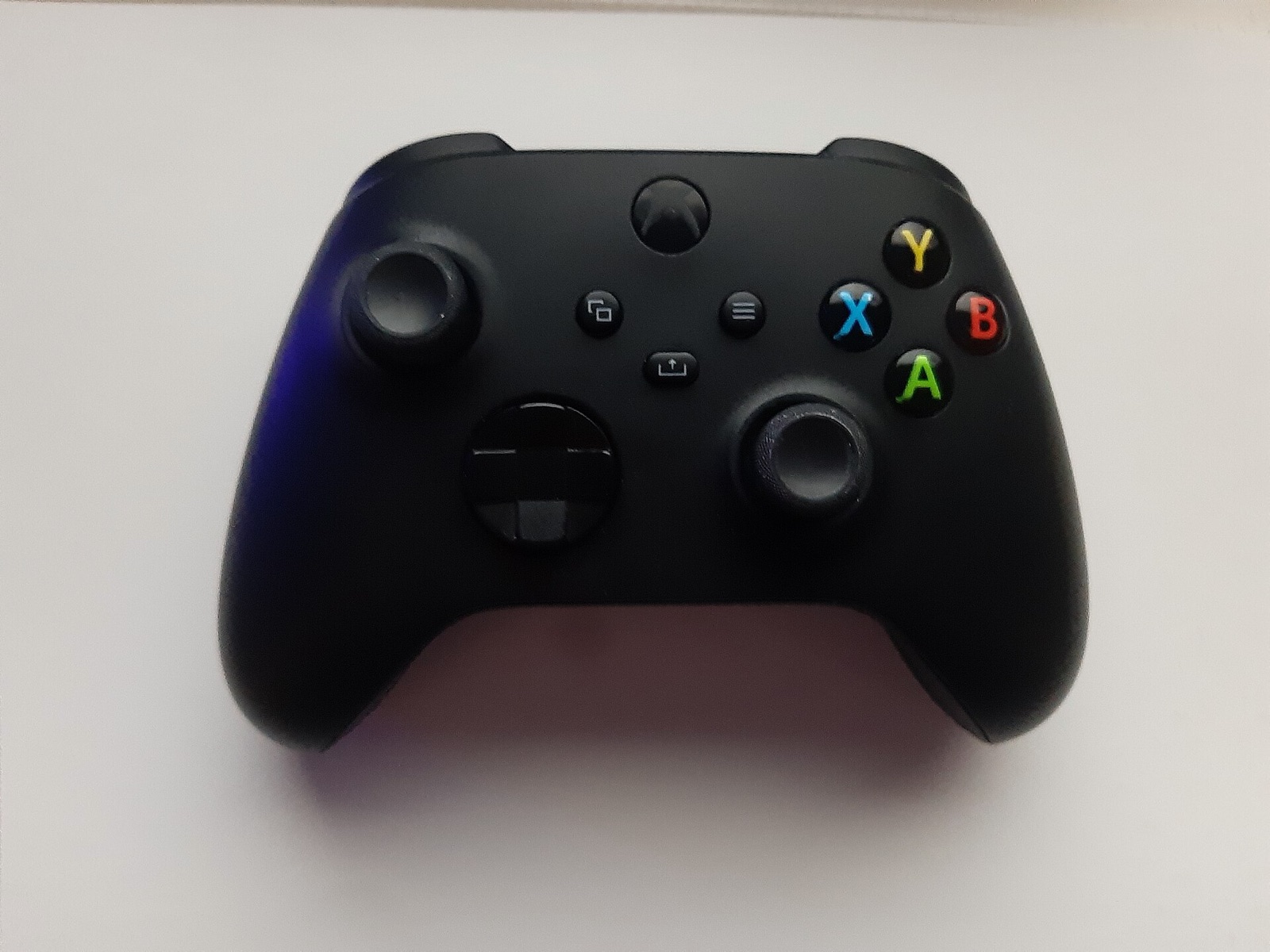
Xbox Wireless Controller (Carbon Black)
Native XInput support with automatic Xbox HUD glyph replacement (prompts\keytex.bin) and radial Item Wheel stick targeting.
8BitDo Ultimate 2C Wireless Controller
Drift-resistant Hall Effect sticks ideal for Project ReLink circular stick deadzone tuning (0 to 50%) and quick R/L item cycling.
Project ReLink FAQ
Direct engineering answers verified against the GPL-3.0 pixl27/ProjectReLink repository and release artifacts.
Why does pressing Insert not open the Project ReLink settings menu?
Check issue #96/#98 behavior: make sure the game window has focus, your keyboard is not requiring Fn + Insert (common on 60%/65% compact keyboards), and run v0.7.9 or newer in at least a 1280x720 window.
Why do I have to click Build again after adding a .pchtxt mod?
Project ReLink translates ARM64 instructions into C and compiles them into relink-game.exe during build time. ExeFS patches alter those instructions prior to C lifting, so rebuilding incorporates the patched code natively.
Where are Project ReLink F12 screenshots and wheel layouts saved?
Pressing F12 writes lossless PNG captures into the screenshots\ folder inside your Project ReLink directory, and custom radial wheel slot orders persist in wheel_layout.txt.